

Solutions · Desktop

Product analytics for
desktop applications

Understand how users interact with your desktop applications and turn those insights into better experiences. Improve feature adoption, stability and retention while connecting desktop behavior with web and mobile journeys.

Key questions

Answer your most critical desktop app questions

The three questions we hear most often in this space, and how Countly answers them on data you keep.

Which features are actually used?

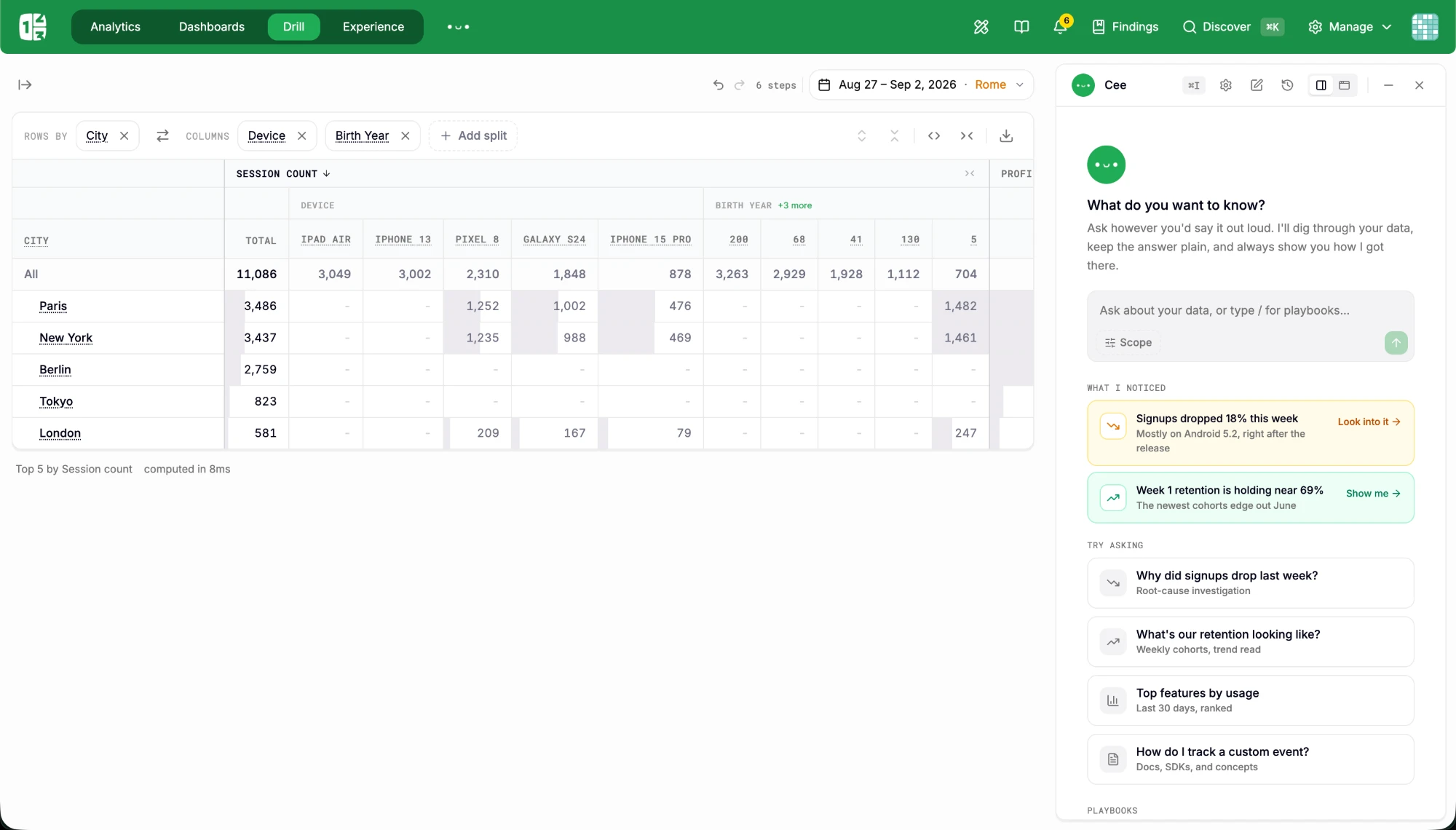
Drill gives granular precision on feature usage across versions and segments.

How stable is our application?

Crashes and errors identified and mitigated with ease, per version and platform.

How do we unify user data?

User Profiles connect desktop, web and mobile behavior into one individual view.
How Countly helps

How Countly powers desktop analytics

One platform covers the whole loop: Capture, Analyze, Act, Adapt. The insight and the action stay in the same place.

See the platform
  1. 01

    Instrument

    Windows, macOS and Linux via the Windows, C++, Java and Node.js SDKs.

  2. 02

    Analyze

    Drill, crashes, user profiles and dashboards on live desktop data.

  3. 03

    Engage

    Adaptive Variables and in-app content, on infrastructure without third-party access.

Data ownership

Secure analytics for your
most critical software

Desktop software often runs where the data must stay: design studios, banks, hospitals, factories. Countly runs there too, self-hosted or in a private cloud.

Explore data privacy
Features teams use most here
DrillCrashes & errorsUser profilesDashboardsAdaptive Variables

FAQ

Questions about
Desktop analytics

Straight answers for this space. For anything else, talk to us.

Can we self-host Countly?

Yes. Self-host Countly on your own infrastructure, including air-gapped networks, so desktop software used in design studios, banks or hospitals reports to a server you operate.

Can we connect desktop behavior with web and mobile?

Yes. A profile can be created for every device and merged when the user identifies, so one person’s desktop, web and mobile behavior can read as one path.

Does Countly track desktop crashes and errors?

Yes. Crash groups by version and platform, with affected users, sit next to feature usage, so you can see what a user did before the error and whether a release changed stability.

Solutions

Related
solutions

The same platform, seen from the next industry or use case over.

All solutions
AWSBMW GroupVerizonSchneider ElectricCoca-ColaStandard CharteredSAPAllianzElsevierRaiffeisen BankTelekom

Solutions

Your industry.
Your data. One platform.